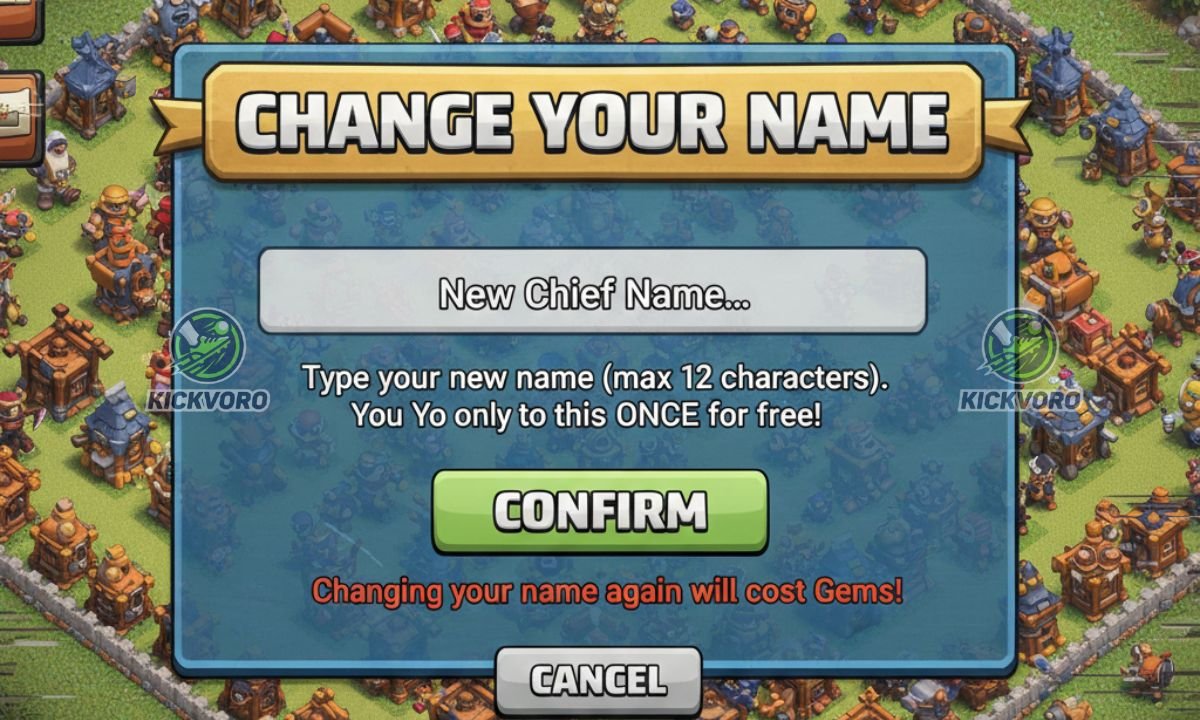
Changing Name in Clash of Clans: A Step by Step Procedure
how to change name in clash of clans Players of Clash of Clans often choose their name quickly when they begin playing. However, as time passes, that name does not seem to be the best choice anymore. Players might want a simpler name, while some might want a more competitive name. There are also those who may just want to have a new start. Fortunately, Clash of Clans lets its users change their names from within the game settings.
The process is very easy, safe, and entirely formal if done properly. Before making any changes to your account, it’s important to stay safe. You can also read our detailed guide on Clash of Clans hack versions risks to understand why using unofficial versions can lead to permanent bans and security issues.
Is It Possible to Change the Name in Clash of Clans?
Of course, yes, Clash of Clans enables players the ability to change their name. The company Supercell has made it possible by providing this option within the game. Therefore, players do not have to make use of any external help, such as mods.
However, this game allows one free name change. This means that, although you may change your name, this game will require gems based on how many times you decide to alter it.
How to Change Your Name in Clash of Clans: Step by Step
Follow these steps to change your name without any problems.
Step 1: Open Clash Of Clans
Open Clash of Clans on your device and wait for the village to load completely.
Step 2: Open Settings
Click on the gear ⚙️ icon located in the bottom right corner of the screen. This launches the game settings menu.
Step 3: Access ‘More Settings’
On the settings menu, just look for the option that is named “More Settings” and tap it.
Step 4: Click on “Change Name”
You will see a button that reads “Change Name.” Just tap that to continue.
5th Step- Read the Instructions
You will see a screen with a notification about the rules of changing a player’s name. Click Continue, and the game will continue.
Step 6: Enter Your New Name
Enter your preferred new name in the text box. Make sure you abide by the Clash of Clans name policy.
Step 7: Confirm the Name Change
Enter the name again in order to confirm. Now, the confirmed name will be instantly applied in the game.
Your new name will now be visible in your village, clan, and player profiles.
Name Change Guidelines That You Should Know
Before picking a name, the following guidelines must be taken into consideration:
- The name should not have any offensive or inappropriate words in it.
- The name cannot resemble Supercell employee
- The name should comply with length requirements and allowable characters
- There must not be excessive symbols or misleading names
If you violations occur, they can change your forced name or take action on your account.
Fees Associated with Change of Name
Clash of Clans gives a free name change to every user. After you have exhausted the free name change, Clash of Clans may start charging gems for a name change.
The cost of the gem usually goes up if you change your name more than once. Therefore, it is very advisable that you select a name that you wish to retain for the long term.
Why Players Change Their Clash of Clans Name
In Clash of Clans Reasons why players change names are quite many. Some of the most common reasons are:
- Wanting a more professional or competitive name
- Starting an entirely new clan from scratch
Will a Name Change Affect My Account?
No, it will not. Your gameplay will still be the same. Your base, troops, role, achievements, and purchases will all remain the same.
Your clan members would immediately notice your change of name, so it is better if you give them an advance notice.
Common Problems and Solutions
In some cases, some minor problems may arise when name-changing. The solution to this is:
- Name is not unique: Spell or number name differently
- INVALID NAME ERROR: Remove symbols or reduce the length of the name.
- Missing “Change” button: Update your game
If the problem is not resolved, you can reach out to the Supercell support team via the help feature in the game.
Tips for Selecting a Good Clash of Clans Username
In Clash of Clans, “Picking a good name is important, and if you’re playing competitively, it’s even more so. Here are a few tips:”
- This name should be straightforward to read
- Don’t overuse symbols
- Something unique but clean In 1920
- Considerate Thinking Before Accepting
An effective name leads to recognition among clans or during wars.
Conclusion
Changing name in Clash of Clans can be quickly and securely done if done from within the game itself. This is because the name-changing option in Clash of Clans is designed by Supercell in a way that allows players the freedom of doing so while still maintaining the security of their account. There’s no penalty to having a name change; normally, you have to plan and follow the rules for the name change to happen successfully. Keeping this in mind will help you have a fresh name without any consequences.




Leave a Reply